

EC Members can vote their favorite candidates for the Office Bearer posts. During the voting duration, Elected Members get a link to vote using the Office Bearers e-Ballot.
Remember, you can access this menu link only after logging on the AMPI site.
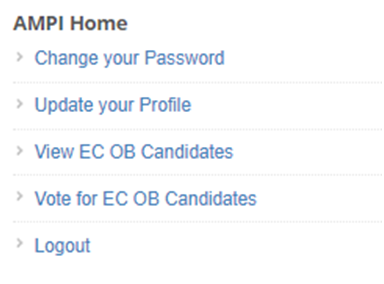
Also the members can visit the View ECB Candidates to know about the members competing for various posts.
The candidate’s list has details like Post, Candidate Name, EMail Address, and Contact Number.
e-Ballot, EC Office Bearers
EC elected members are taken to the e-Ballot for EC Office Bearers on clicking the Vote for EC OB Candidates. They will be presented with a similar e-Ballot as below.
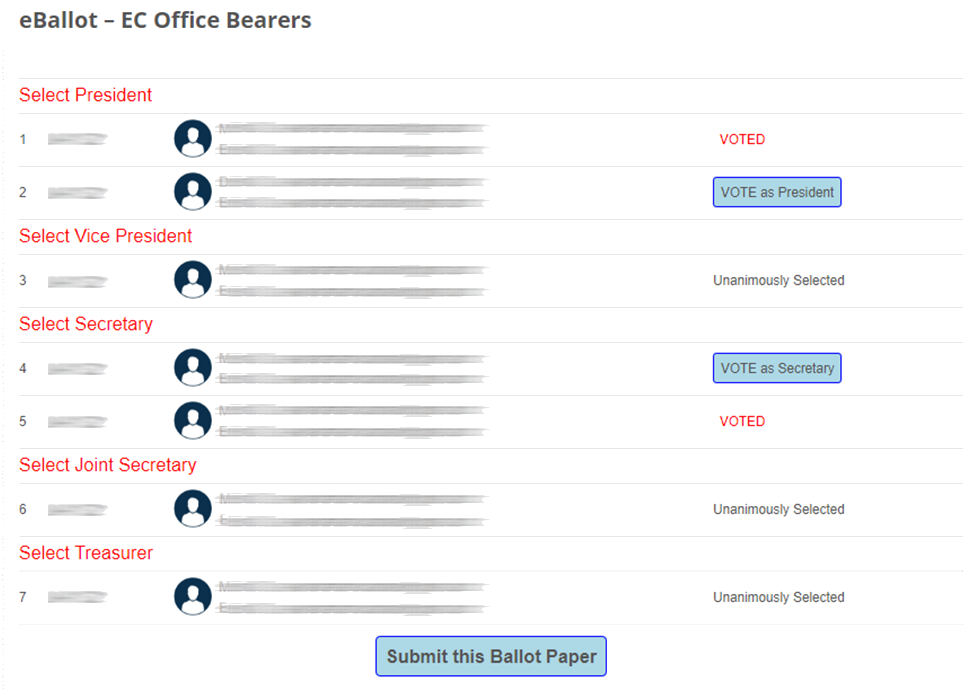
Incase only one approved nomination is available against an Office Bearer’s post, that candidate is considered as elected unanimously and is displayed accordingly in the e-Ballot.
Voter can click on the button VOTE as Postname and button turns into VOTED in red color indicating as voter has selected that particular candidate against that post.
Just in case he want to change the candidate voted, he can do so before submitting the e-Ballot by clicking the VOTE as Postname button against his/her favorite candidate.
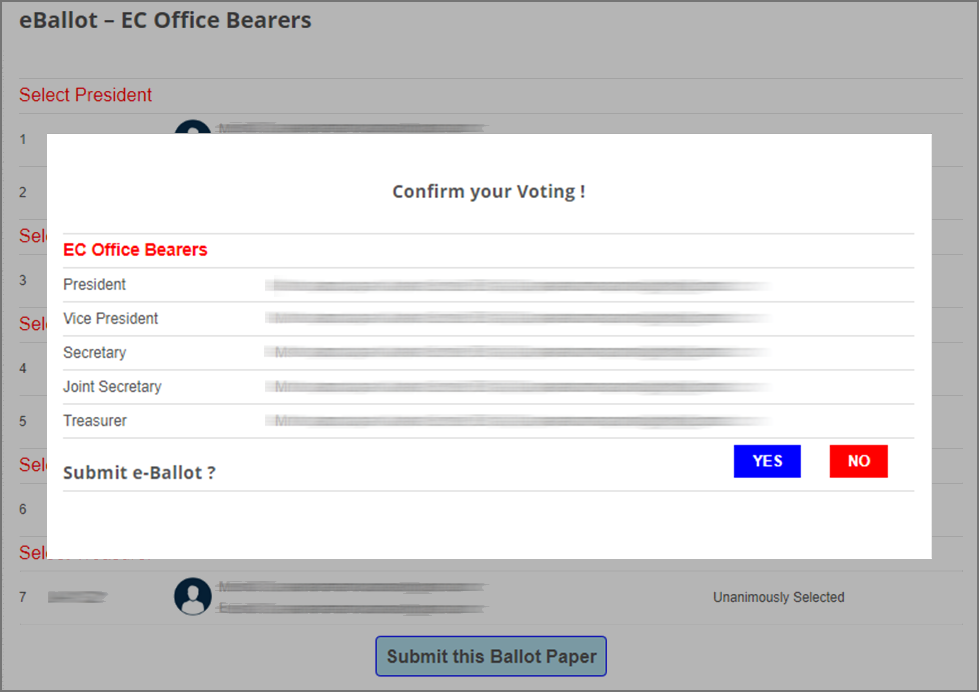
After selecting/voting for all posts, voter can submit the e-Ballot by clicking on on the button ‘Submit this eBallot Paper’.
When the e-Ballot is submitted, the voter is presented with a confirmation box.
Now voter can choose to submit e-Ballot or click on NO button to return to e-Ballot if he want to change his candidate selection.
After submitting the e-Ballot, the system responds with a confirmation message.

Note: Voter choose only one candidate against each post. Voter can submit one e-Ballot and only once.
For more information and clarification the member may write to Election Officer eo@ampi.org.in