

Go to AMPI KYM Update | Member Directory | FAQ
Attention: Before attempting KYM Update, please visit the Member Directory and confirm your AMPI Membership Number, and Email address as registered on this website.
If you are no longer using the email address displayed in the search or email address is wrong or not available then please click on the [change] button to launch the “Email Change Request” Form. Enter the details and submit.
It will send the request email to the Regional Chapter officials or AMPI officials as appropriate. On approval of anyone of above officials, the Secretary, AMPI will get your current/active email, mobile number updated as requested.
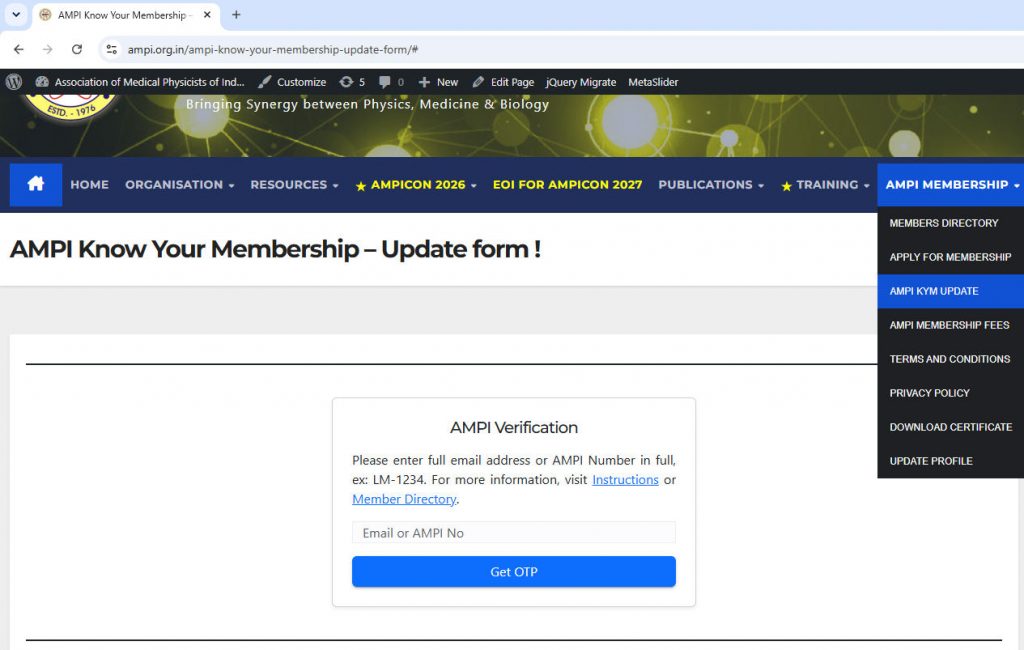
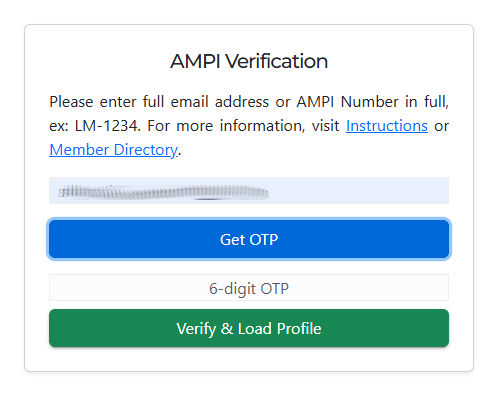
Before starting the update, the members are advised to keep ready with the following information.
- Access to Laptop or Desktop with built-in Camera or Web-camera for taking live profile photo; Ensure camera is functional.
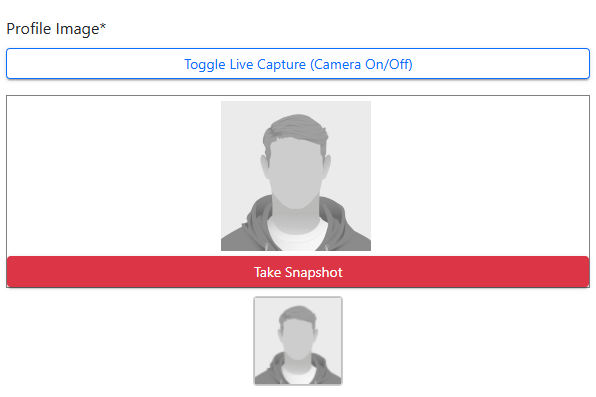
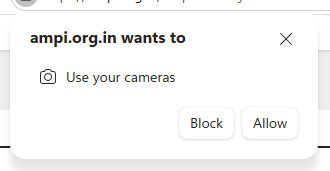
You may need to click on “Toggle Live Capture (Camera On/Off) to start the camera, and click on “Take Snapshot”. Browser may ask your permission use the camera; Kindly grant permission. You can take profile snapshot till you are convinced you got a good snapshot !
- AMPI Membership Number and Email Address as registered with AMPI Website. Use Membership Number or Email Address to get OTP, verify OTP and launch the AMPI KYM Update form. Only AMPI Life members are required to update the AMPI KYM.
In case the member has forgotten his AMPI number or email address registered with AMPI No, please visit AMPI Members Directory ( https://ampi.org.in/resources/ampi-members-directory/ )
The member may report to secretary@ampi.org.in with the registered email address on AMPI Website and current active email address in situations where member has no more access to their AMPI registered email address (like member moved out/resigned from the institution/organization they were working with, mail servers associated with the email address no more functional, lost access to email address and has no way to retrieve it) - Aadhaar Number and soft copy of Aadhaar Document (jpg, png files not to exceed 150KB)
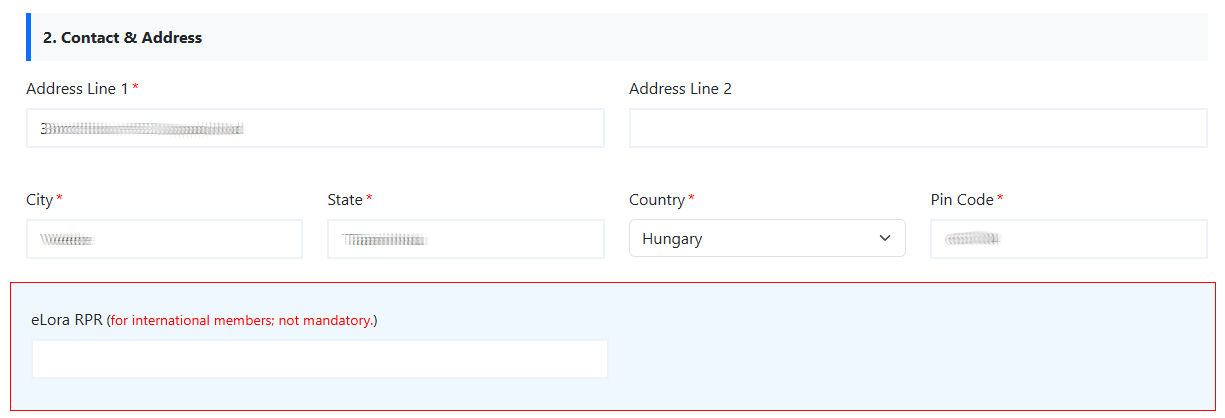
- In case of International AMPI members, select your country and eLora panel will show up. Please fill in the eLora RPR number.
- Soft copies of one or more qualification documents (jpg, png files not to exceed 500Kb) as required by your Profession. Please see below list for expected one or more qualifications.
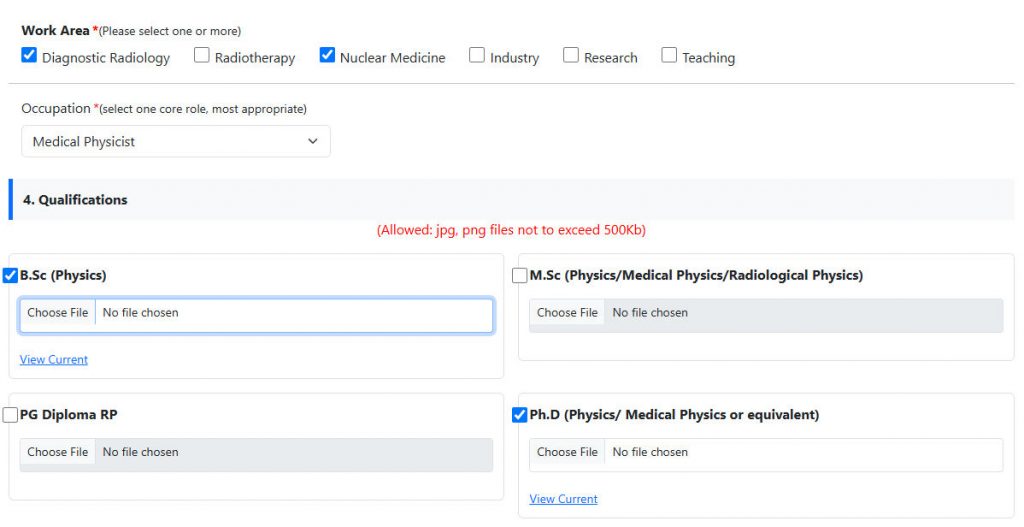
| Medical Physicist | B.Sc (with Physics), M.Sc(Physics/ Medical Physics/ Radiological Physics), PG Diploma RP, Ph.D. (Physics/ Medical Physics or equivalent) |
| Scientist/Engineer | B.Sc, M.Sc, PG Diploma RP, Ph.D |
| Engineer | BTech, MTech, PhD |
| Radiologist | M.B.B.S, M.D (Radio-Diagnosis), Ph.D |
| Radiation Oncologist | M.B.B.S, M.D (Radiotherapy), Ph.D |
| Radiotherapy Technologist | Diploma RTT, B.Sc (RTT) |
| Radiodiagnosis Technologist | Diploma RDT, B.Sc (RDT) |
| Nuclear Medicine Technologist | Diploma NMT, B.Sc (NMT) |
- In case the member has membership at AMPI Chapters, select the Name, and Chapter Membership number if available.
Please fill in the AMPI KYM details, and click on “Submit Verification” button.
Frequently Asked Questions
- I am not getting OTP email.
- Please check if the email address is same as registered with AMPI website. You can check your AMPI Membership number, registered email address, KYM status from Members Directory search.
- Check in the spam folder or junk folder of your email box.
- I cannot see the ‘Submit Verification button’ in AMPI KYM Update form.
- As long as your AMPI KYM details are not reviewed yet (i.e. status is PENDING) or status is REJECTED, you cannot access the ‘Submit Verification button’.
- How can I know my AMPI KYM Update status?
- You can check the KYM status from Members Directory search
- View the status in AMPI KYM Update form at the top
Also the Pre-Approvers, Approvers may send you an email for any clarifications.
- I am no longer using the registered email address. How do I change it ?
- Please click on the [change] button to launch the “Email Change Request” Form. Enter the details and submit. It will send the request email to the Regional Chapter officials or AMPI officials as appropriate.
On approval of anyone of above officials, the Secretary, AMPI will get your current/active email, mobile number updated as requested.
- Please click on the [change] button to launch the “Email Change Request” Form. Enter the details and submit. It will send the request email to the Regional Chapter officials or AMPI officials as appropriate.
- Who are the AMPI KYM Pre-Approvers?
- You can find the Pre-Approvers as in the list of Chapter officials. If you are a member of regional chapter, we strongly encourage you to select the regional chapter name (, and fill in the regional membership number if available.)
Go to AMPI KYM Update | Member Directory | FAQ